
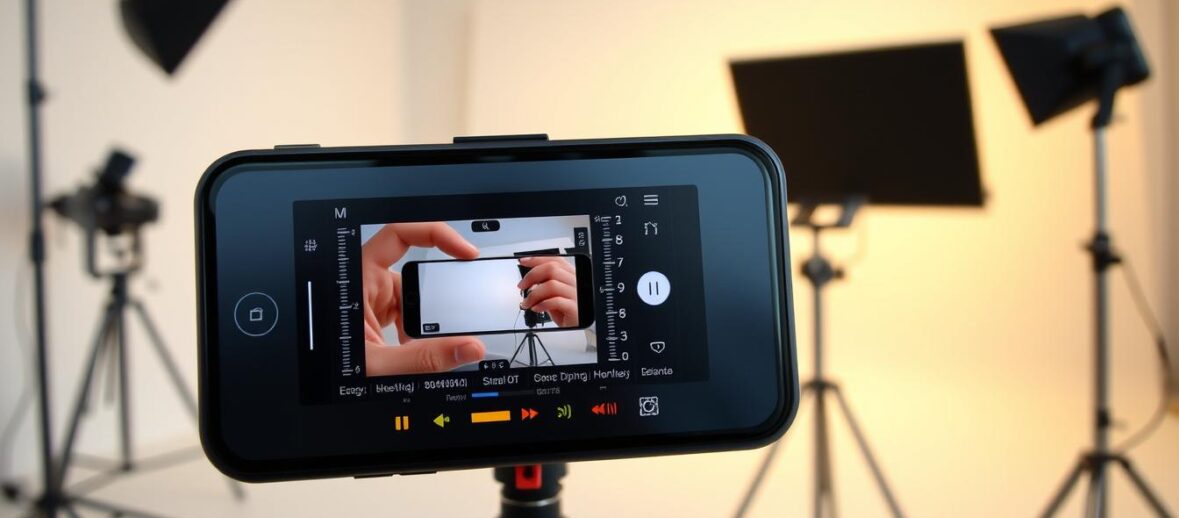
Ever wondered how people make amazing videos with their smartphones? Smartphone video production is more than a trend. It’s a way to be creative without spending a lot on equipment. Your phone can be a powerful tool for telling your story.
Imagine turning simple moments into stories that grab people’s attention on TikTok, YouTube, and Facebook. Whether you have an iPhone or an Android, you can start making videos today. The world of smartphone video production is easier to get into than you think.
This guide will teach you everything about making videos that look professional with just your phone. You’ll learn about your camera and editing skills. You’ll see how your smartphone can help you tell stories.
Key Takeaways
- Your smartphone is a complete video production studio
- No expensive equipment required to create engaging content
- Learn professional video creation techniques on your mobile device
- Discover editing skills for multiple social media platforms
- Unlock your creative potential through smartphone video production
Getting Started with Smartphone Video Production
Creating stunning videos is now easier than ever. You don’t need expensive equipment. Your smartphone can be a powerful tool for making videos. It offers amazing features, whether you have an iPhone or an Android.
Choosing the right device for video creation is key. It depends on your needs and your phone’s abilities. Both iPhones and Androids have unique strengths for editing and filming videos.
Comparing iPhone and Android Video Capabilities
When picking a smartphone for video, consider these factors:
- Camera resolution and sensor quality
- Low-light performance
- Stabilization features
- Native editing tools
| Feature | iPhone | Android |
|---|---|---|
| Average Video Resolution | 4K at 60fps | 4K at 30-60fps |
| Built-in Editing Tools | iMovie | Google Photos |
| Storage Flexibility | Limited | Expandable |
Understanding Your Phone’s Camera Potential
Before starting video production, check your camera settings. Look at your phone’s specs to see its true video recording potential. Look for features like:
- Resolution settings (1080p, 4K)
- Frame rate options (30fps, 60fps)
- Exposure and focus controls
- Slow-motion and time-lapse modes
Success in video creation isn’t about the most expensive device. It’s about using what you have to its fullest potential.
Finding Your Niche and Generating Video Ideas
Starting your social media video journey means finding a niche that excites you. Your videos should show what you love and what you’re good at. They should also meet your audience’s needs.
- Think about what you’re good at and what you know a lot about
- Find problems you can solve with your videos
- Look at what’s trending on social media
- See how people react to different types of content
Coming up with video ideas takes a lot of creativity. Here’s how to get started:
- Use your phone to jot down ideas as they come to you
- Listen to what others ask you for help with
- Notice where there’s a lack of content in your interests
- Watch how popular certain hashtags are
Don’t worry if your niche isn’t perfect at first. Let it grow as you figure out what works. Make videos that are fun and show off your special view.
Pro Tip: Pick a niche you really care about to stay motivated and keep going.
Test your video ideas by looking at how often people search for them. Use data from TikTok, YouTube, and Facebook. This way, you can make your videos even better for social media.
Essential Video Recording Techniques for Your Smart Phone
You don’t need expensive gear to make professional videos with your smartphone. Just learn a few key techniques. Then, your phone can become a top-notch video maker.
Optimizing Camera Settings for Best Quality
Choosing the right settings can make a huge difference in your video quality. Here are some important camera settings to consider:
- Resolution: Pick 1080p at 30fps for everyday videos
- Advanced shooting: Go for 4K at 60fps for top-notch videos
- Exposure lock: Keep the lighting steady throughout your video
- HDR video mode: Get the best out of scenes with lots of light and dark
Video Stabilization Techniques for Smooth Footage
For smooth videos, you need to know how to stabilize your camera. Here’s how to reduce camera shake and make your videos look professional:
- Hand positioning: Hold your phone with both hands, keep your elbows in
- Core movement: Move your body, not just your arms
- Use your phone’s built-in stabilization
- Try post-production tools for extra smoothness
| Stabilization Method | Effectiveness | Difficulty |
|---|---|---|
| Two-handed grip | High | Easy |
| Built-in phone stabilization | Very High | Easy |
| Post-production tools | Moderate | Medium |
Pro tip: Move smoothly and deliberately. And always focus on good lighting. These tips will improve your video quality right away.
How to Make and Edit Videos on Your Smart Phone
Smartphone cinematography has changed how we make videos. Now, you can create professional-quality films with just your phone. It turns your mobile into a powerful studio for your creative ideas.
To begin your smartphone cinematography journey, follow these steps:
- Plan your video concept and script
- Scout locations using your phone’s camera
- Prepare necessary equipment like smartphone tripods and external microphones
- Understand your device’s camera settings
To get great footage, plan carefully. Position yourself near natural light sources and try different angles. Remember, it’s about being creative, not just perfect.
Key filming techniques include:
- Shoot multiple takes of each scene
- Capture extra B-roll footage
- Record a few seconds before and after main actions
- Use grid lines for better composition
Your smartphone can edit videos well. Modern apps let you trim, merge, add transitions, and apply filters. With practice, you’ll make your videos look great.
Pro tip: Always shoot in the highest resolution your phone supports for maximum editing flexibility.
Smartphone cinematography is about telling stories with visuals. Use your device’s power to let your creativity shine.
Free and Low-Cost Video Editing Apps You Need
Smartphone video production doesn’t have to be expensive. You can make great content for social media or personal projects with tools on your phone. Here are some amazing free and affordable options for editing videos on your iPhone.
Today’s smartphones have amazing video editing features. You can make your videos look professional without spending a lot on software or equipment.
InShot: Your All-in-One Video Editor
InShot is a top choice for editing videos on your phone, working great on both iPhone and Android. It has:
- Professional-grade editing tools
- 60+ transition effects
- 1000+ stickers and text options
- Speed control from 0.2x to 100x
- Multiple aspect ratio adjustments
Google Photos for Quick Android Edits
Android users have a great built-in option with Google Photos. This free app lets you edit videos quickly without needing extra software.
| Feature | Android Requirements |
|---|---|
| Basic Editing | 1GB RAM, Android 6.0+ |
| Advanced Features | 3GB RAM, Android 8.0+ |
Native iPhone Video Editing Tools
Apple’s Photos app has great video editing features for iPhone users. You can:
- Trim videos
- Apply filters
- Adjust exposure
- Edit slow-motion
“The best camera is the one you have with you” – Chase Jarvis
These free and low-cost apps show that you can edit videos like a pro without spending a lot. Try them out and see how creative you can be with smartphone video production!
Trimming, Cutting, and Merging Your Video Clips
Learning basic video editing is key to making great smartphone videos. Tips for Android and the best settings can make your footage look pro. Let’s dive into trimming, cutting, and merging video clips.
Three main editing skills are important:
- Trimming unwanted parts
- Cutting specific parts
- Merging clips together
Android users can use Google Photos for easy edits. Here’s how to trim videos:
- Open the video in Google Photos
- Touch and hold the trim handles
- Drag to pick the part you want
- Save it as a new clip
iPhone users can use native tools just as easily. Pro tip: Always work on a copy of your original footage to keep it safe.
| Editing Tool | Best For | Ease of Use |
|---|---|---|
| Google Photos | Quick Trims | Beginner Friendly |
| InShot | Advanced Editing | Intermediate Users |
| Native iPhone Tools | Simple Cuts | Very Easy |
InShot is great for complex edits. You can split videos, remove parts, and merge clips easily. The trick is to keep practicing and trying new things to find what works for you.
Remember, great video editing is about telling a story, not just cutting footage.
Use these tips to improve your video editing on Android. With practice, you’ll make videos that grab people’s attention.
Adding Music, Effects, and Filters to Your Videos
Turning raw video into engaging social media content is more than just capturing moments. The right audio, transitions, and visual enhancements can make ordinary clips stand out. They can grab the attention of viewers.
Your smartphone has powerful tools to improve video quality easily. Video stabilization is key to making your content look professional. It attracts viewers on different platforms.
Incorporating Soundtracks and Audio Effects
Audio is crucial for your video. Here are tips for choosing and using the right soundtrack:
- Choose royalty-free music to avoid copyright issues
- Match music tempo with video mood
- Adjust volume levels for balanced sound
Applying Transitions and Visual Enhancements
Visual effects turn videos into stories. Here are some editing techniques to try:
- Use subtle transitions between clips
- Apply filters that complement your content
- Experiment with color grading
| Editing App | Transition Effects | Music Options |
|---|---|---|
| InShot | 60+ transition styles | Royalty-free music library |
| Google Photos | Basic transitions | Device music integration |
| iPhone Photos | Cinematic modes | Spatial Audio mixing |
The goal is to enhance your story, not overwhelm it. With practice and creativity, you can develop your own editing style for social media.
Creating Videos for TikTok, YouTube, and Facebook
Smartphone video production has changed how we make content for social media. Knowing what each platform wants can make your videos look professional.
Each social media site has its own video style and strategy. Your success comes from making content that fits each platform’s needs.
Mastering Aspect Ratios for Maximum Impact
Aspect ratios are key in making great videos. Here’s a quick guide to what each platform likes:
- TikTok: 9:16 (Vertical format)
- YouTube: 16:9 (Landscape format)
- Facebook: 1:1 (Square format)
Video Length Optimization Strategies
| Platform | Optimal Video Length | Key Considerations |
|---|---|---|
| TikTok | 21-34 seconds | Quick, engaging content |
| YouTube Shorts | 15-60 seconds | Mobile-friendly vertical videos |
| 1-3 minutes | Capture attention quickly |
Pro tip for smartphone cinematography: Always export your videos in 1080p resolution. This is the best quality for size. Most platforms prefer this high-definition format.
“Your smartphone is now a professional video production studio in your pocket.” – Mobile Content Creators Network
By making your videos fit each platform’s needs, you’ll make content that really grabs people’s attention.
Advanced Editing Features for Intermediate Users
Are you ready to improve your smartphone video editing skills? Intermediate users can access powerful tools that make ordinary footage look professional. Whether you’re using iPhone apps or following Android tips, these advanced features can boost your storytelling.
Now, let’s explore some advanced editing techniques to improve your videos:
- Speed Control: Change video speed from slow motion to fast time-lapse
- Color Grading: Make precise changes to exposure, contrast, and saturation
- Creative Effects: Add artistic filters and special visual effects
Different platforms offer unique features for editing videos on iPhone and Android. InShot, for example, has a wide range of tools, including:
| Feature | Capability |
|---|---|
| Speed Control | 0.2x to 100x range |
| Video Manipulation | Freeze frame, reverse video |
| Color Adjustment | Brightness, contrast, saturation controls |
Professional editing is about telling a story, not just using technical skills. Use advanced features to enhance your story, not to distract from it. Try slow-motion, unique color grades, and creative effects that match your video’s mood.
For iPhone users, newer iOS versions have amazing editing tools like Spatial Audio mixing and frame-by-frame adjustments. Android fans can use Google Photos’ color grading tools to create stunning visuals.
Conclusion
Your journey into social media video creation is just starting. Smartphones have changed how we make videos, giving us powerful tools in our hands. The right settings can make your phone a top-notch video studio, making quality content easy to make.
Don’t let fear of mistakes stop you. Every great creator began with curiosity and a desire to learn. Your phone can make great videos for TikTok, YouTube, and Facebook. Start small, try new things, and remember your unique view is what matters most.
As you practice, your skills will grow. Focus on making videos you love, and don’t worry about mistakes. Join online communities, watch tutorials, and keep exploring your phone’s video features. Your first video might not be perfect, but it’s a big step in your journey.
The world is eager to see your stories. With the right approach, your smartphone can be your tool for sharing your creativity. Pick up your phone, hit record, and start making your mark.
5 Responses
Only wanna tell that this is very useful, Thanks for taking your time to write this.
Yeah bookmaking this wasn’t a bad conclusion outstanding post! .
I genuinely prize your piece of work, Great post.
Would you be taken with exchanging links?
Thank you for the auspicious writeup It in fact was a amusement account it Look advanced to far added agreeable from you However how can we communicate